
Noor e Islam
Prayer times, qibla, tracker and reminders, with the Quran built in
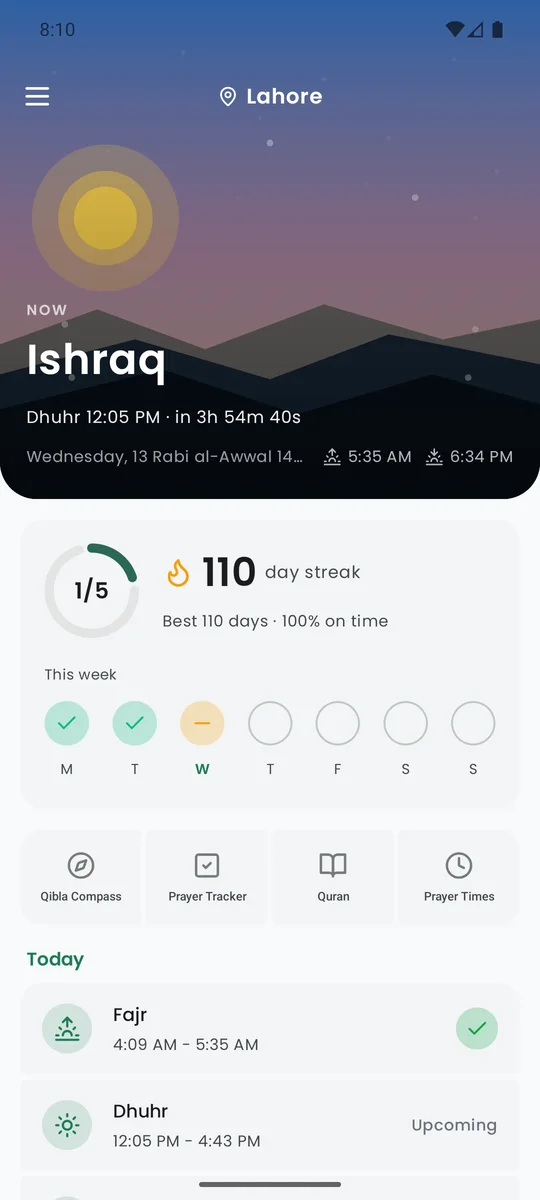
It finds your city, works out today's prayers on the device, and shows what is happening now with a countdown to the next. Everything else is one tap from the home screen.
What it does
Prayer times, anywhere
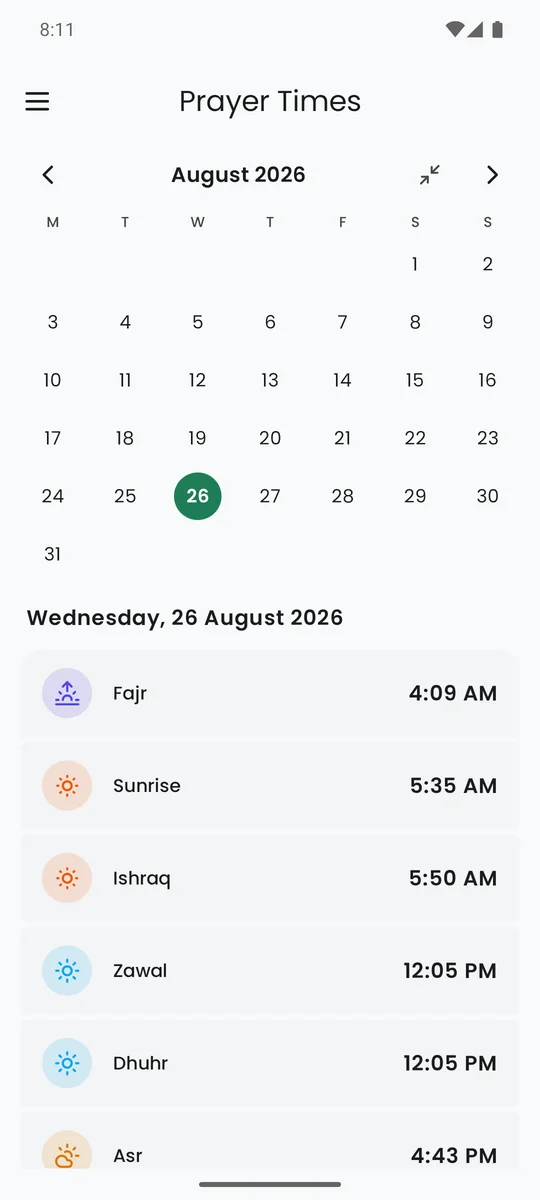
Any city, your calculation method, Hanafi or Shafi‘i. Fajr to Isha with sunrise, Ishraq and Zawal, and a live countdown.
Qibla
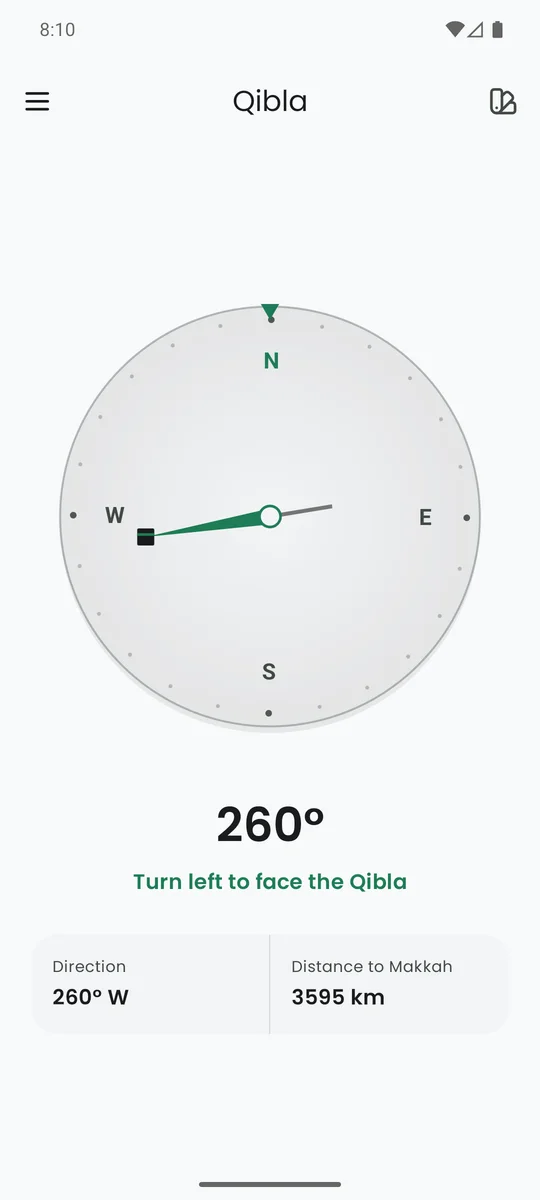
A compass that points to the Kaaba, with the direction in degrees and the distance to Makkah.
Prayer tracker
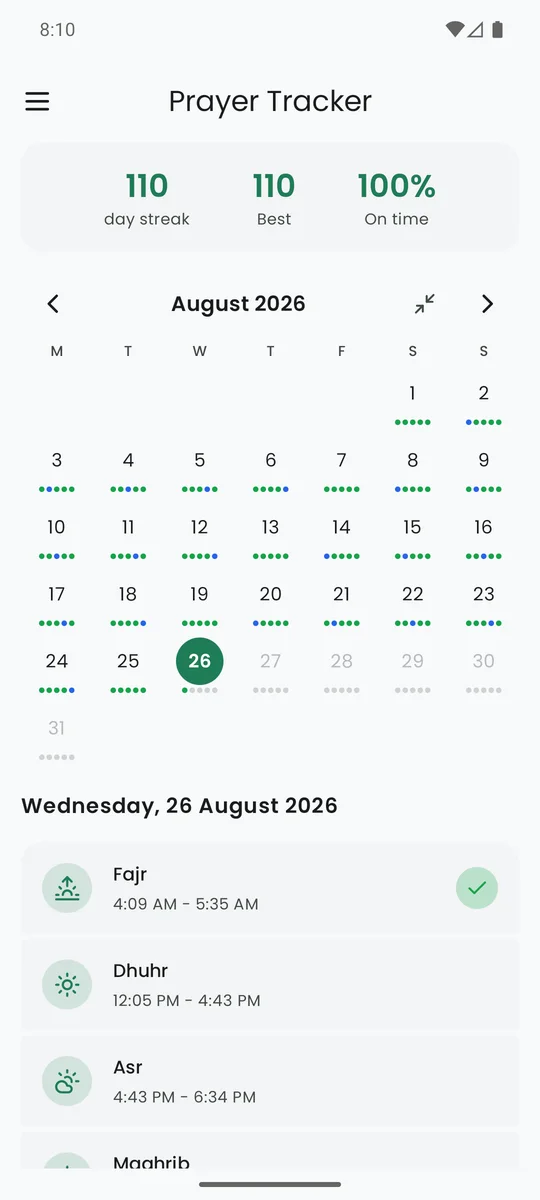
Mark each prayer as on time, in jamaat, kaza or missed. Keep a streak and see the month at a glance. Exempt days can be skipped.
Reminders on time
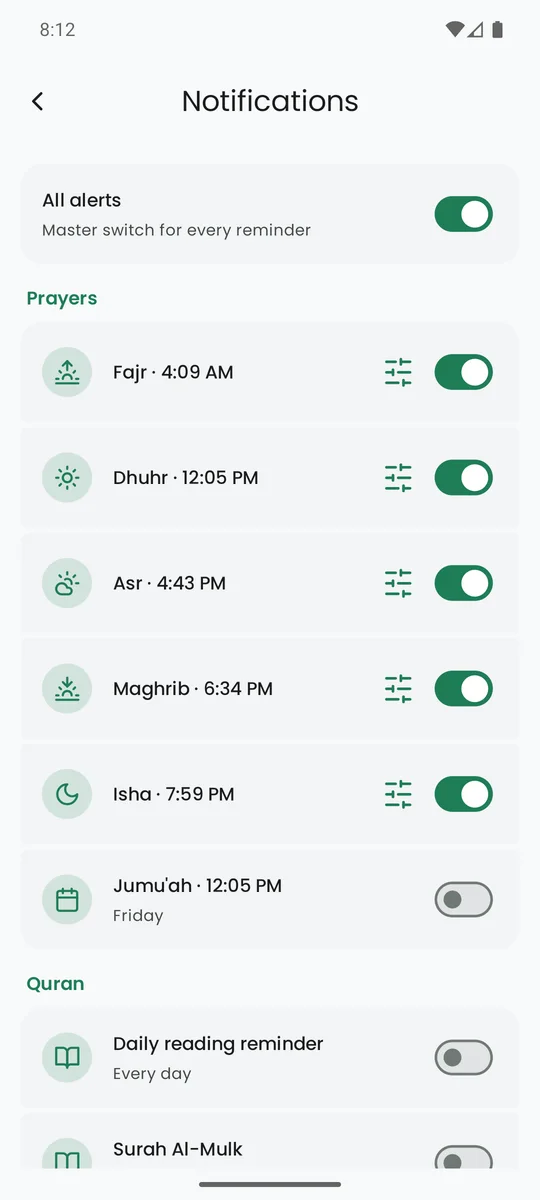
A notification at each prayer, Jumu‘ah on Friday, dhikr and Quran reminders. Every one stays off until you turn it on.
Prayer Focus
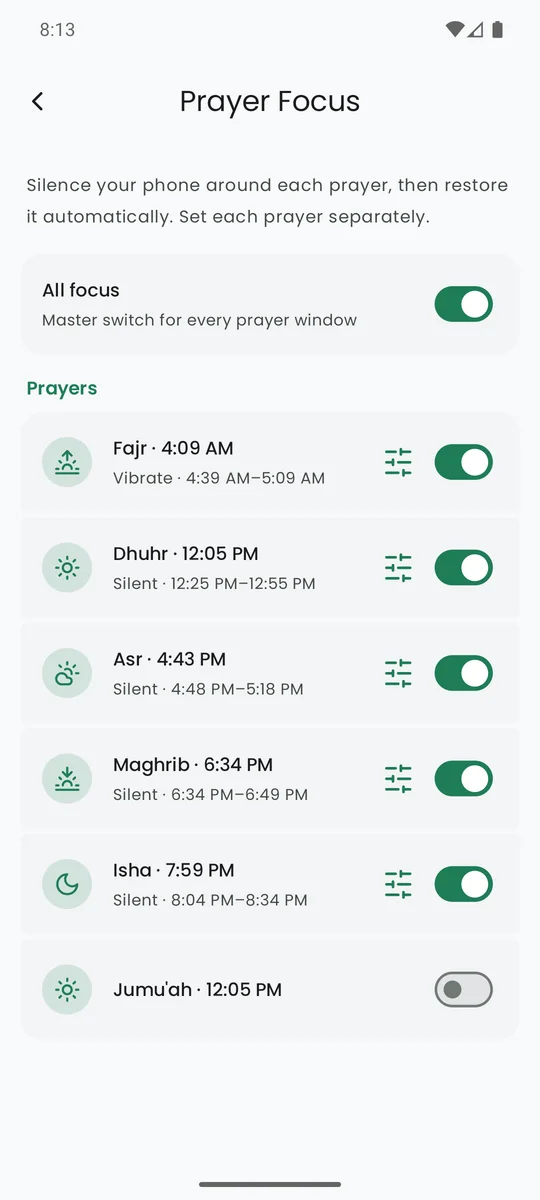
Your phone goes silent or vibrates around each prayer and comes back by itself, with a window you set per prayer.
The full Quran
The same reader as Noor e Quran: themes, bookmarks, notes, highlights, search, and Studio to share an ayah as an image.
Widgets
Today's prayer times on your home screen.
Four languages
English, Arabic, Urdu and French, with proper right-to-left layout.
Permissions, and why
Questions
Which calculation methods are supported?
The common ones: Muslim World League, Umm al-Qura, Egyptian, Karachi, ISNA, Tehran and more, plus Hanafi or Shafi‘i Asr. The app picks a sensible default for your country and you can change it in Settings.
Does it work offline?
Yes. Prayer times, qibla, the tracker and the Quran all work without a connection. Only naming a new city and downloading Studio backgrounds need one.
My reminders stop arriving on my phone.
Some phones (vivo, Xiaomi, Oppo, Samsung with power saving) stop apps in the background. Open Settings → Notifications in the app and allow the two items it asks for: exact alarms and background activity.
Why does the app ask for Do Not Disturb access?
Android only lets an app set the ringer to Silent through Do Not Disturb. Prayer Focus asks for it when you pick Silent; Vibrate needs nothing.
Is there an account or any tracking?
No. Nothing about you is stored on a server. See the privacy policy for the full list.